
For iPhone and Android
Share the photo. Not everyone's face.
Nestpic hides every face in your photo. Tap whoever may be seen, and share in one tap.


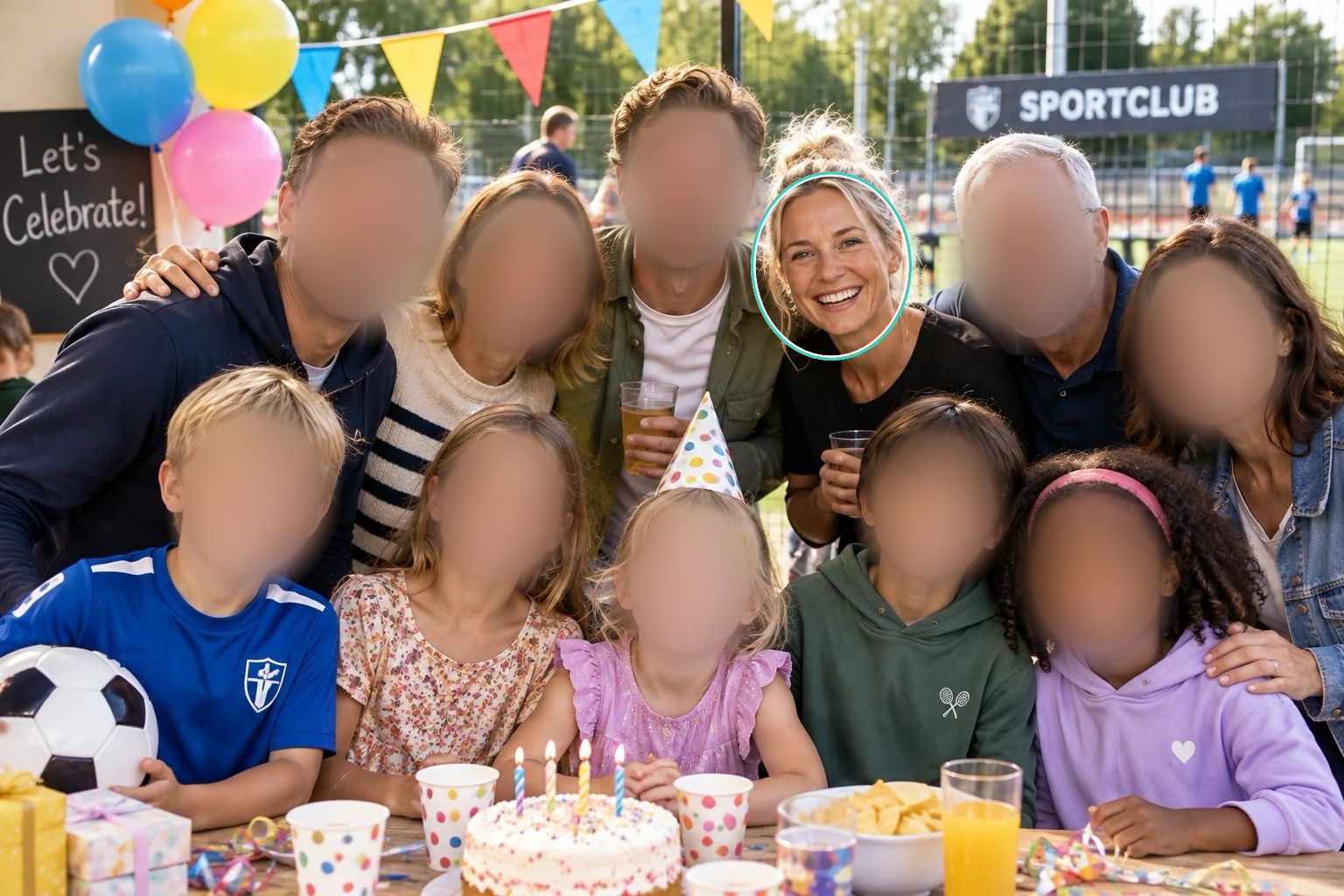

How to blur faces in a photo
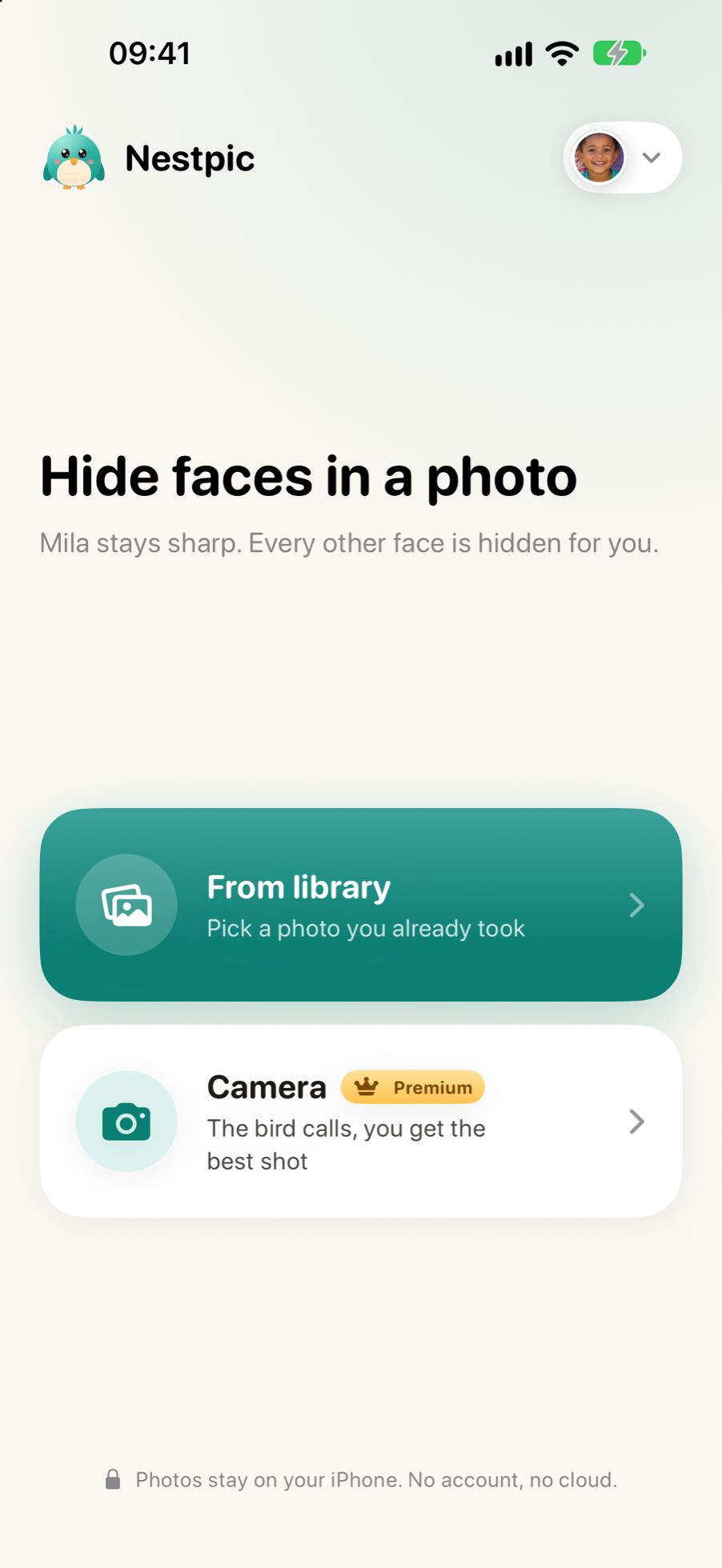
Pick a photo
From your library, or take one with the bird camera. Nestpic finds every face.
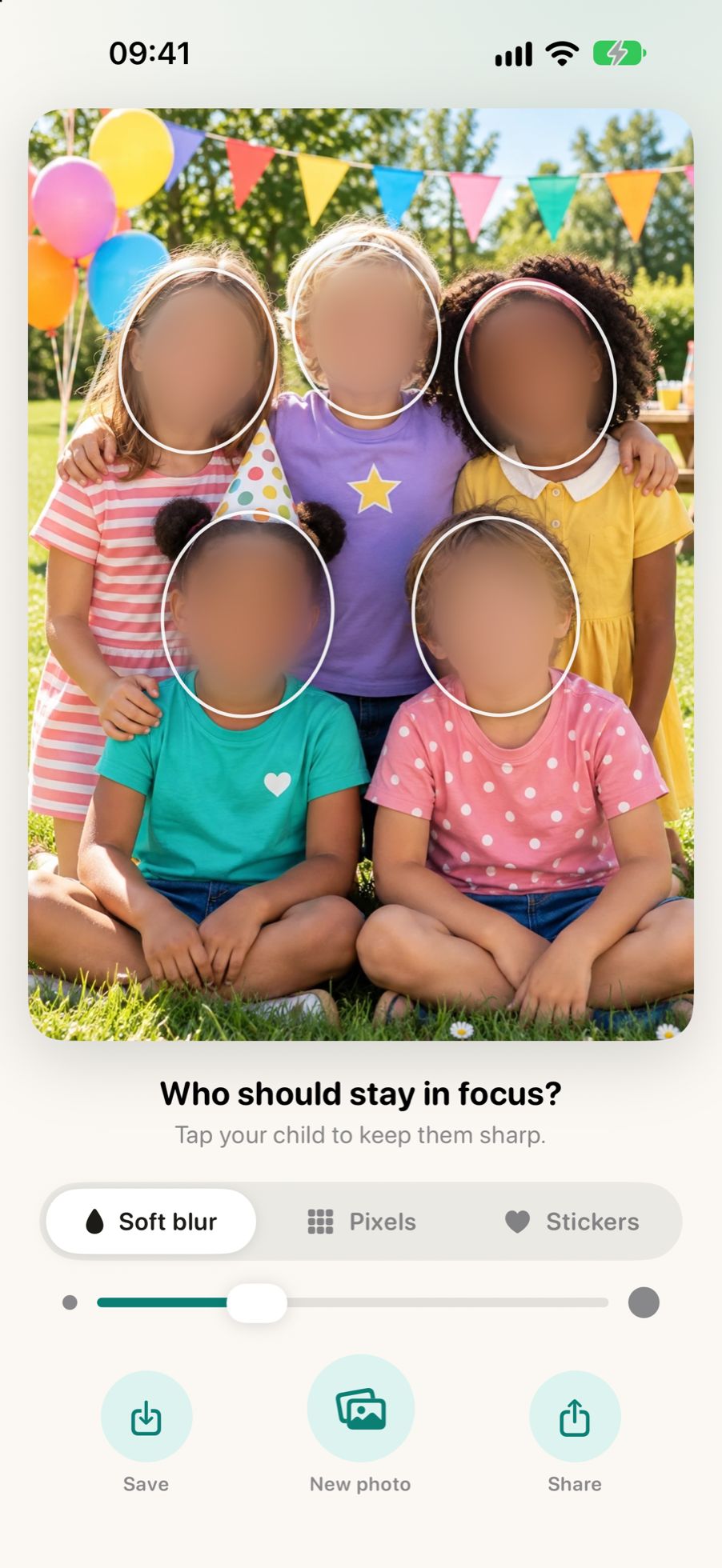
Tap who stays sharp
Every face starts hidden. Tap whoever may be seen and only they come back.
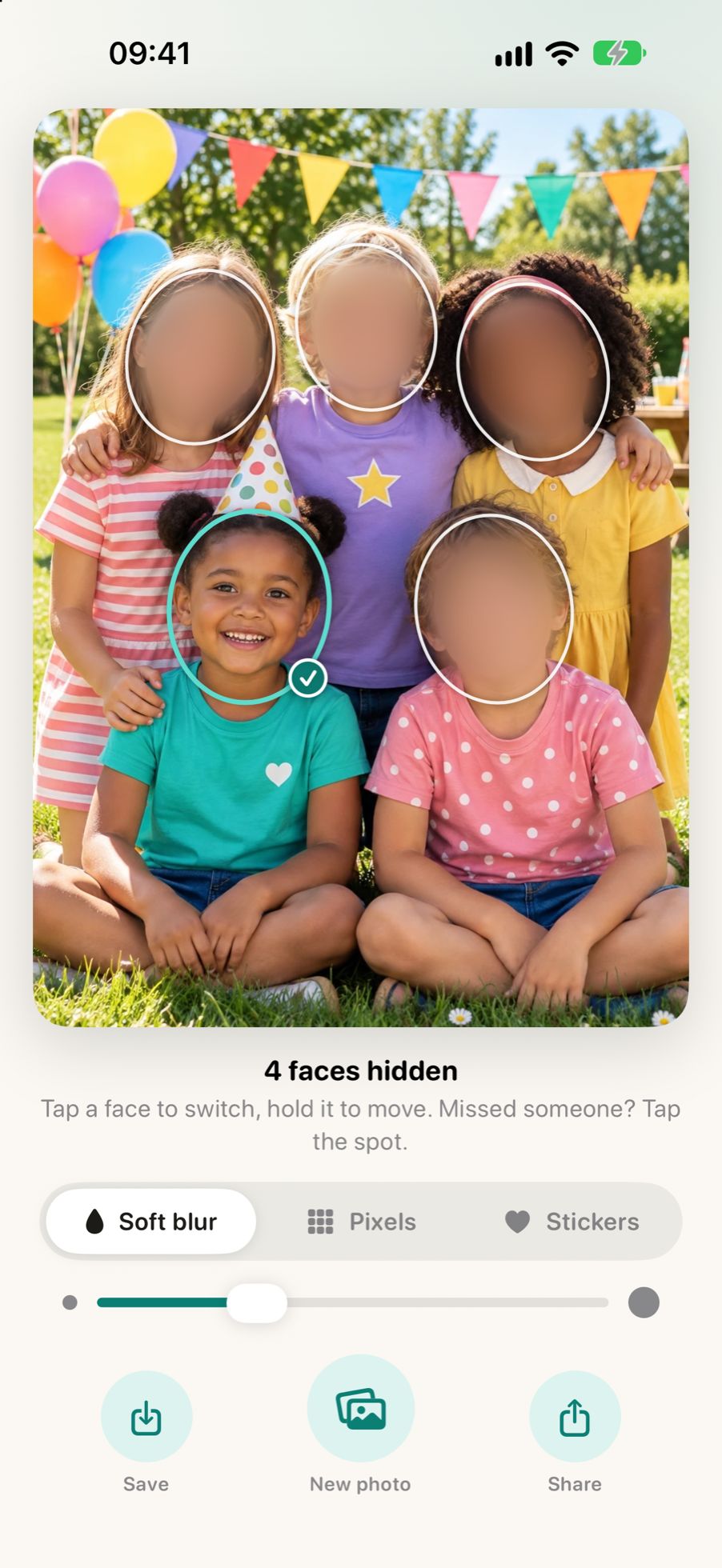
Share in one tap
Every other face is already hidden. Want to change something? Tap a face.
Soft, pixels or a heart
Choose how to hide the others: a soft blur, clear pixels or a sticker. Nestpic covers hair and ears too, because they give someone away as well.

Soft
Calm and unobtrusive.

Pixels
Clearly unrecognisable.

Stickers
A heart, a flower or a star.
Premium
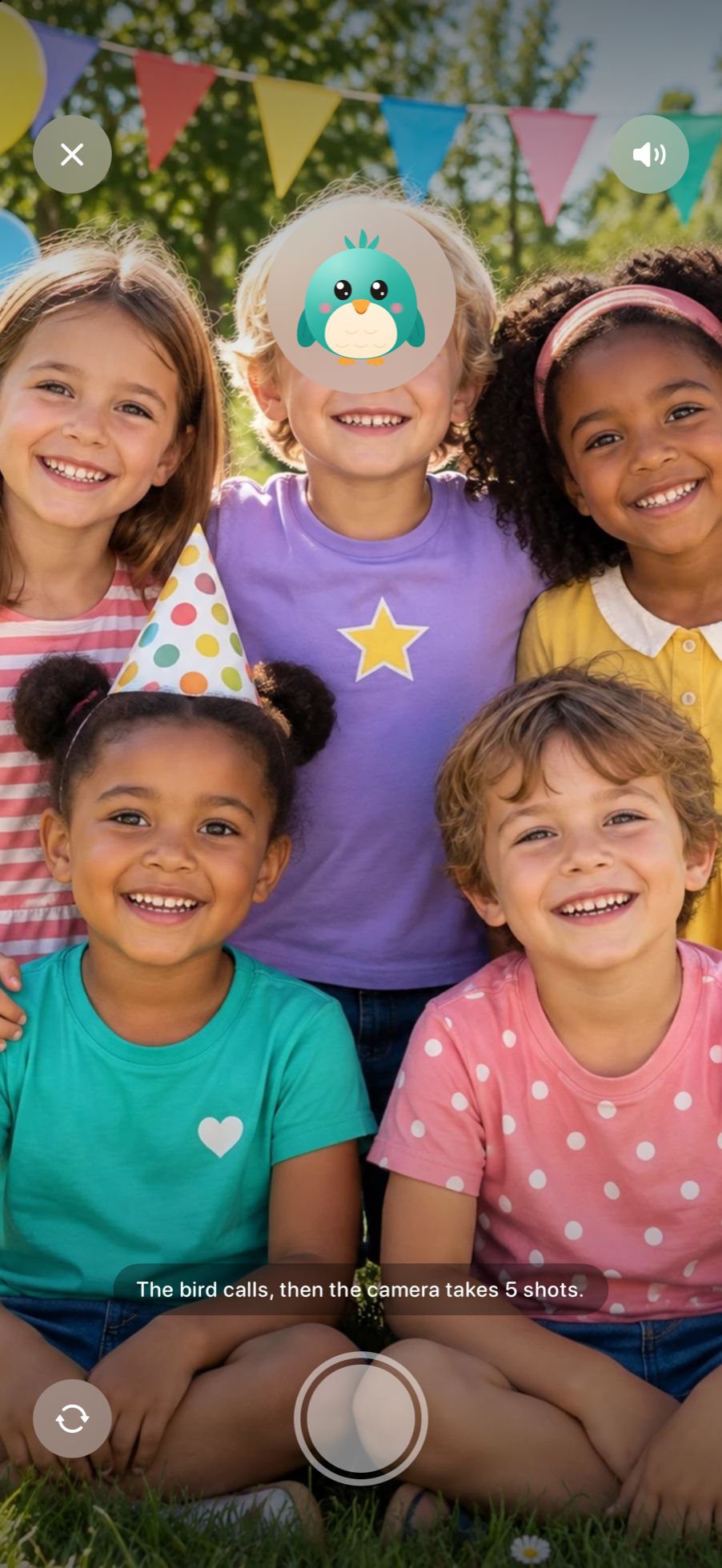
The bird calls. Your child looks.
The Nestpic camera lets a cheerful bird chirp. Your child looks up, Nestpic takes a burst of photos and picks the sharpest one with open eyes. The others are a swipe away.
Your photos never leave your phone.
On your device
Finding, recognising and hiding faces happens on your phone itself, even without internet.
No account, no cloud
Nothing to sign up for. What Nestpic remembers of a face is stored encrypted on your phone and left out of backups.
No hidden data
Before you share, Nestpic removes the location and other hidden data from the photo.
Made for clubs and schools too
The school party, Saturday's match, the scout weekend: sending photos to parents? With Nestpic, a few taps hide everyone who may not be shown. On the phone of whoever took the photo, without an account and without a cloud.
Start for free
Free
- 3 photos a month
- 1 face remembered
- Soft, pixels and stickers
Premium
- Unlimited photos
- Everyone you keep sharp
- The bird camera
Once, or by the year
Questions about hiding faces
How do I blur faces in a photo on my phone?
Open Nestpic and pick the photo. Every face is hidden straight away; tap whoever may be seen and only they come back. One tap shares the photo, and you can switch to pixels or a sticker.
Does Nestpic always point at the right face?
It points, you decide. Nestpic marks the face it thinks you want to keep, but nothing becomes visible until you tap it. Wrong guess? Tap the right face instead.
What if Nestpic misses a face?
Tap the spot and it's hidden too. Read the privacy policy
Can I use pixels or a sticker instead of a blur?
Yes. Soft blur, pixels and stickers are three ways to hide the same faces; a sticker always covers the whole face, and tapping again swaps it for another one.
Is Nestpic free?
Three photos a month are free, with one remembered face. Premium lifts that limit, remembers everyone you keep sharp and adds the bird camera, as a yearly subscription or a one-off payment.
Does it work without internet?
Yes. Finding, recognising and hiding faces all happen on your phone, so the app works in airplane mode and your photos are never uploaded.
What data do you collect?
No photos, no faces, no names: they stay on your phone. The app keeps usage statistics without knowing who you are, and purchases go through the App Store or Google Play. This website counts visits without cookies.
Can a club or school use Nestpic?
Yes, and it is built for it. A coach or teacher keeps the children who may be shown sharp and hides the rest, all on their own phone. No list of members, no account, no cloud.
Which phones?
Any iPhone with iOS 17 or later, and any Android phone with Android 10 or later.
Ready for the next party?
Get Nestpic and share the next photo without a worry.